
FAQ &Install
Install and activate
Download ClipboardKeyboard from the App Store first. Setup takes about two minutes, and you only need to do it once.
-
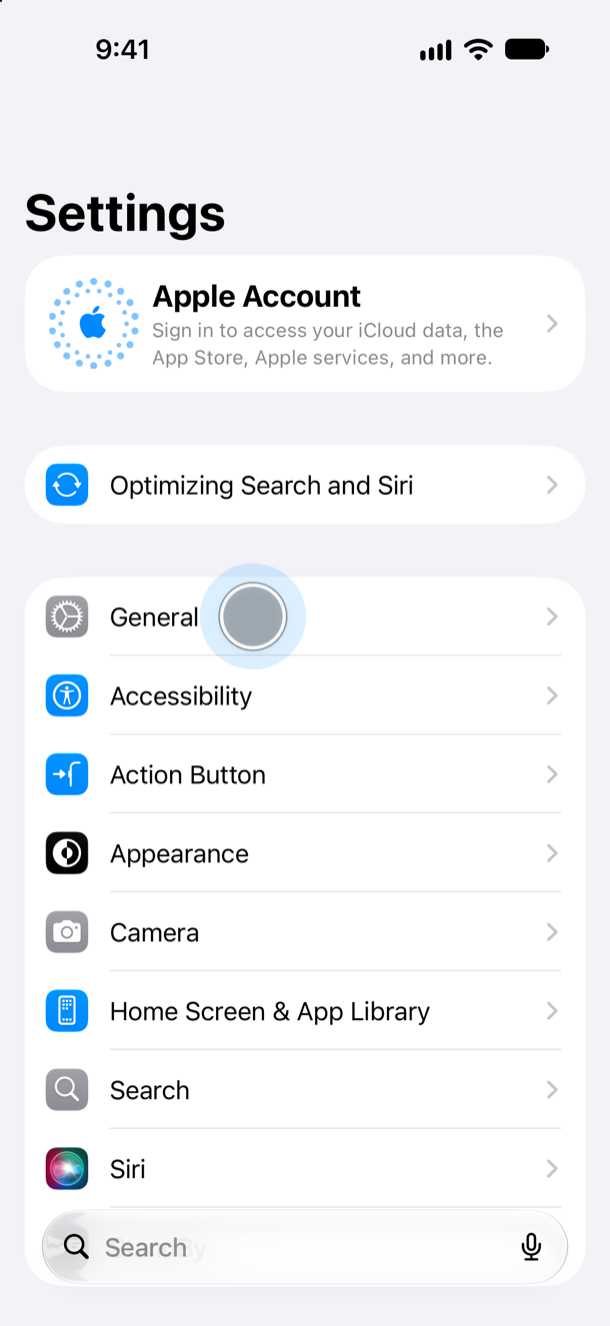 01
01Open Settings
Open the Settings app and tap General.
-
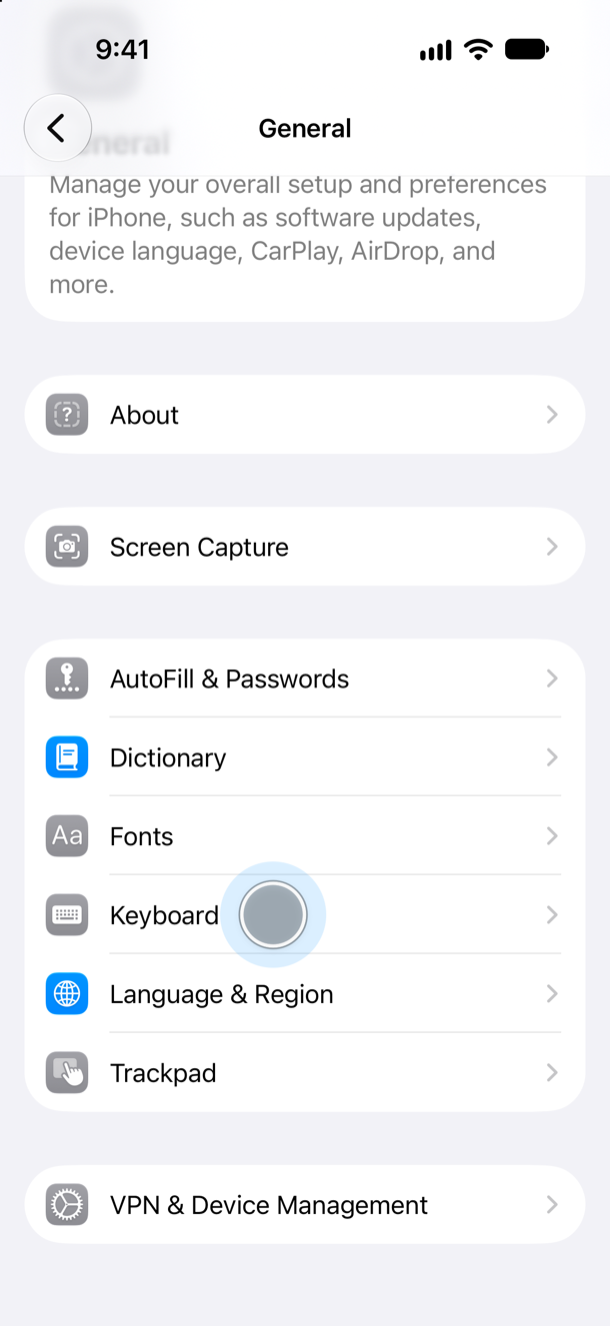 02
02Open Keyboard
Tap Keyboard.
-
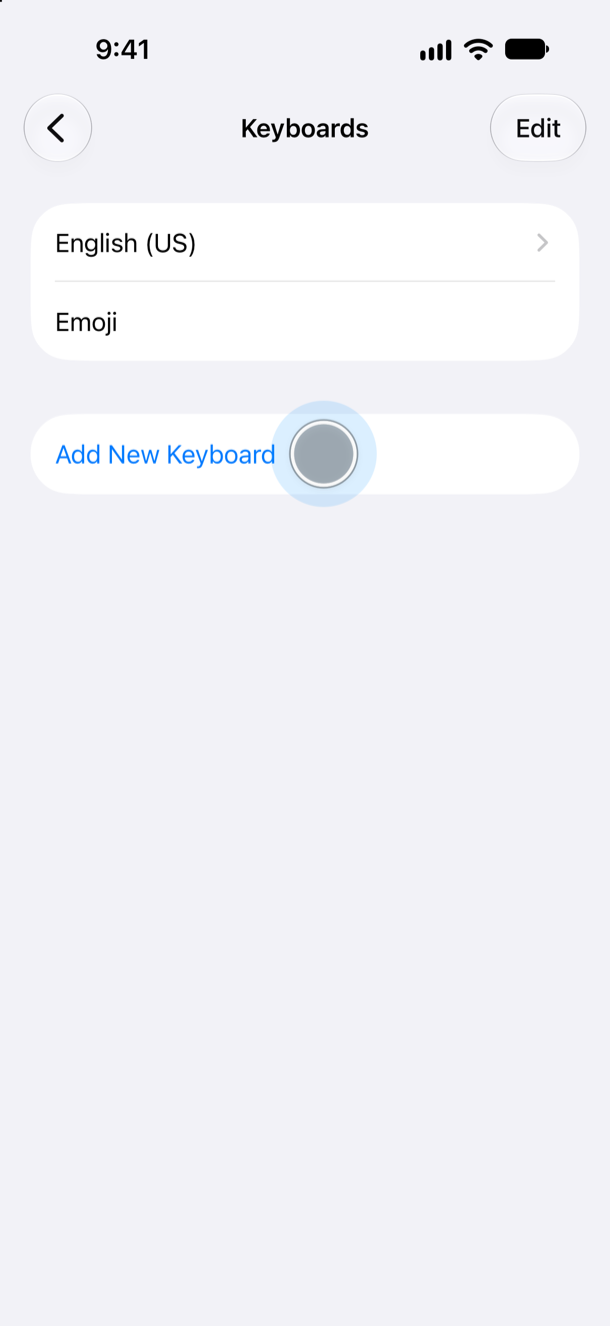 03
03Add a keyboard
Tap Keyboards, then Add New Keyboard.
-
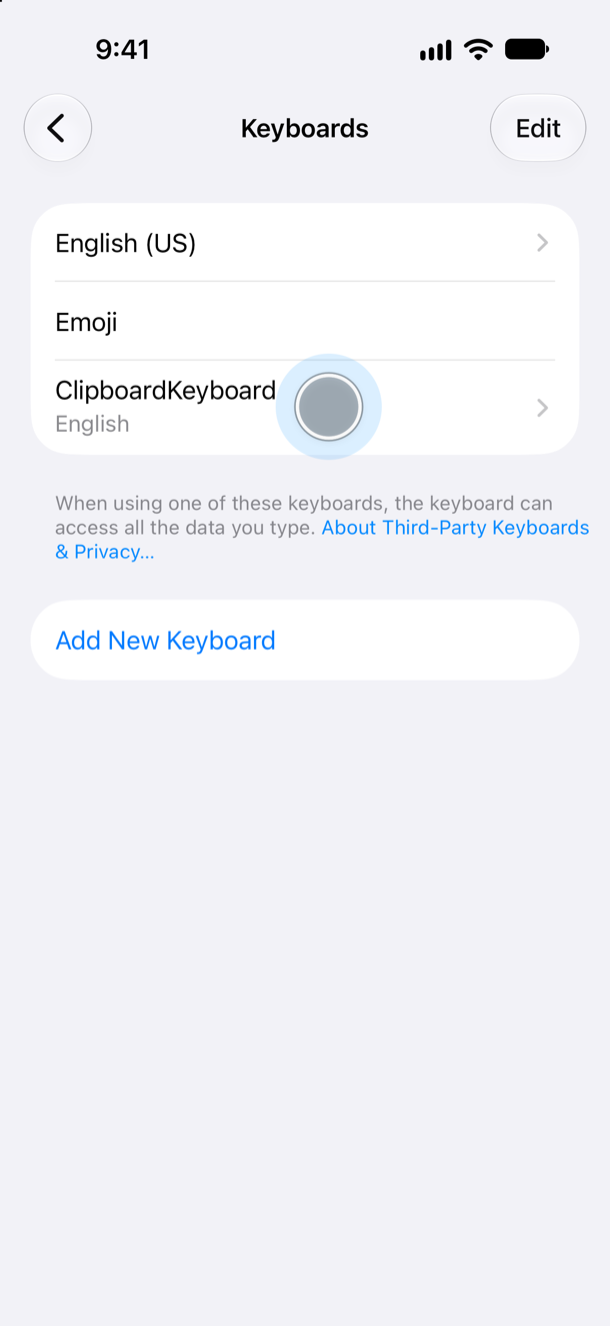 04
04Choose ClipboardKeyboard
Pick ClipboardKeyboard from the list. It now appears under Keyboards; tap it.
-
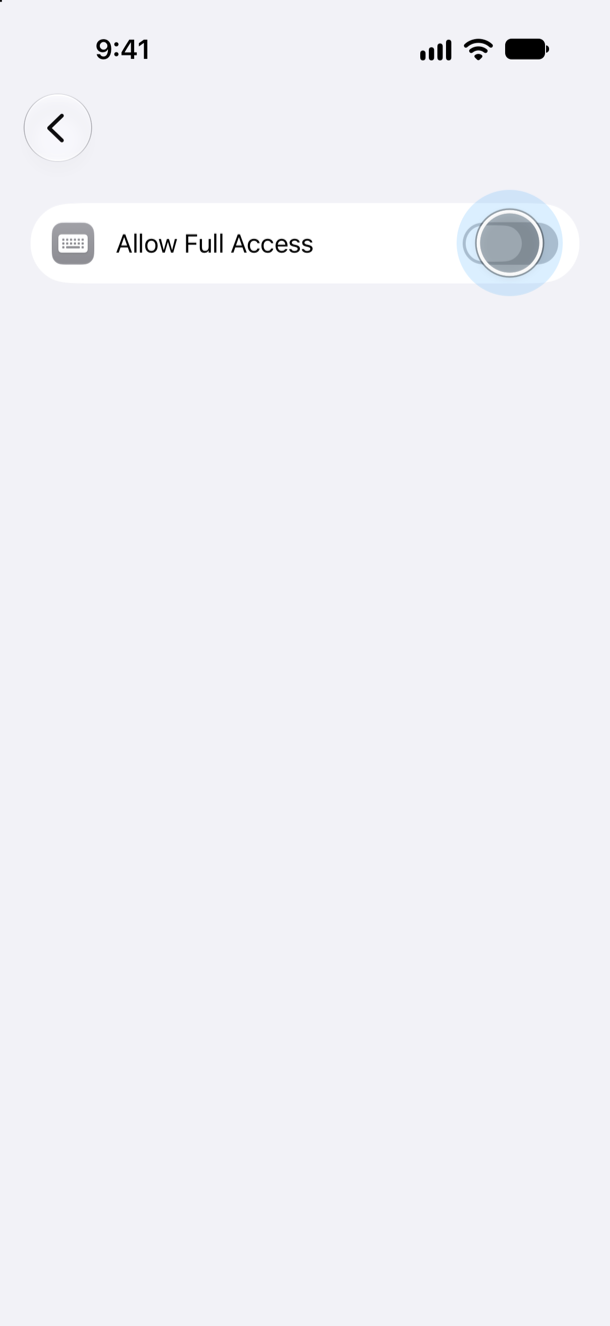 05
05Allow Full Access
Turn on Allow Full Access so your saved clips appear in the keyboard.
-
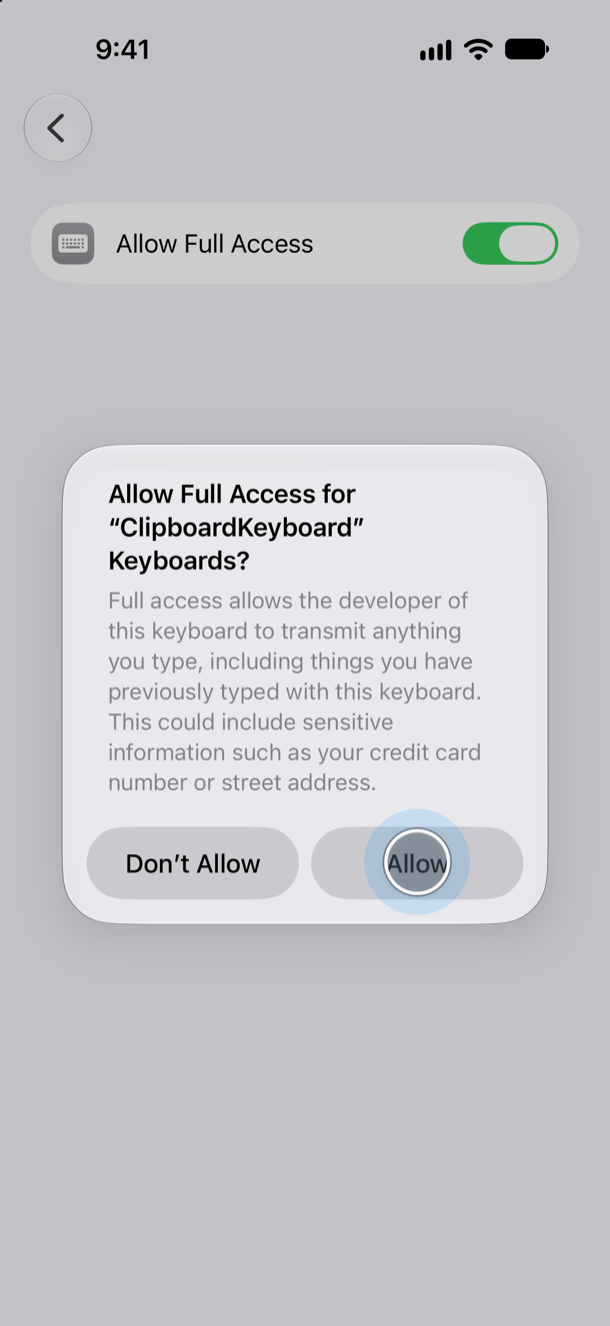 06
06Confirm
Tap Allow to confirm. Your clips still stay on your device.
How to save text to ClipboardKeyboard
Save any text you want to paste later, straight from the Share Sheet in Safari or another app.
-
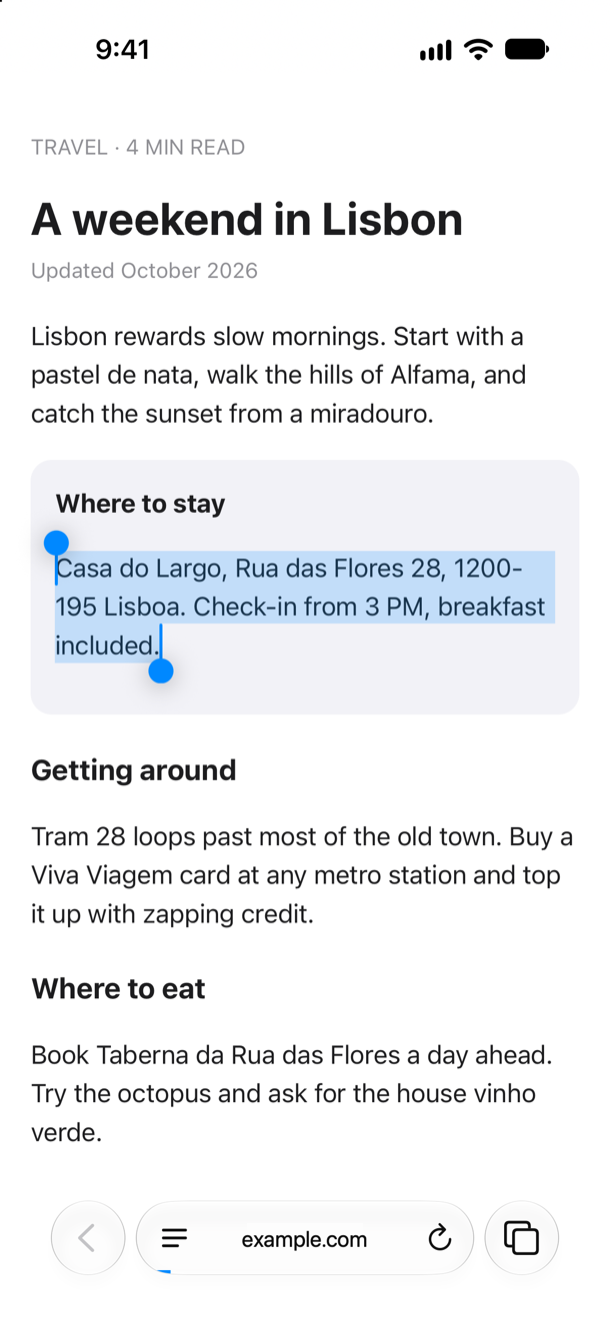 01
01Select text
Select any text in Safari or another app.
-
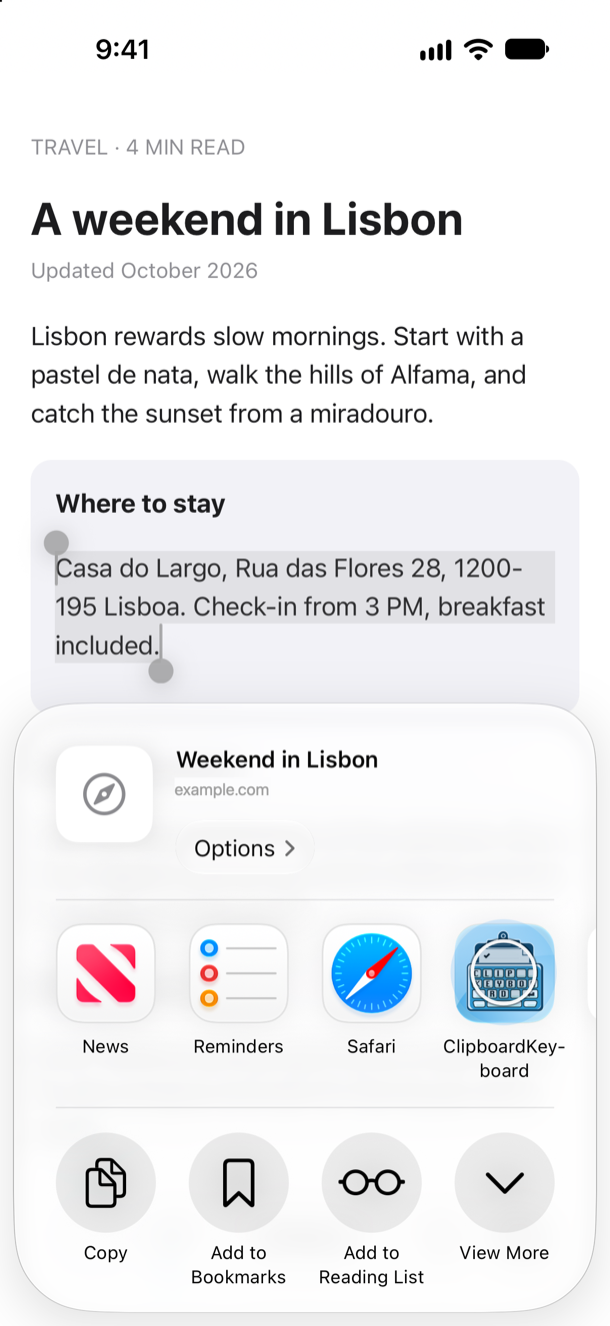 02
02Share to save
Tap Share, then choose ClipboardKeyboard.
-
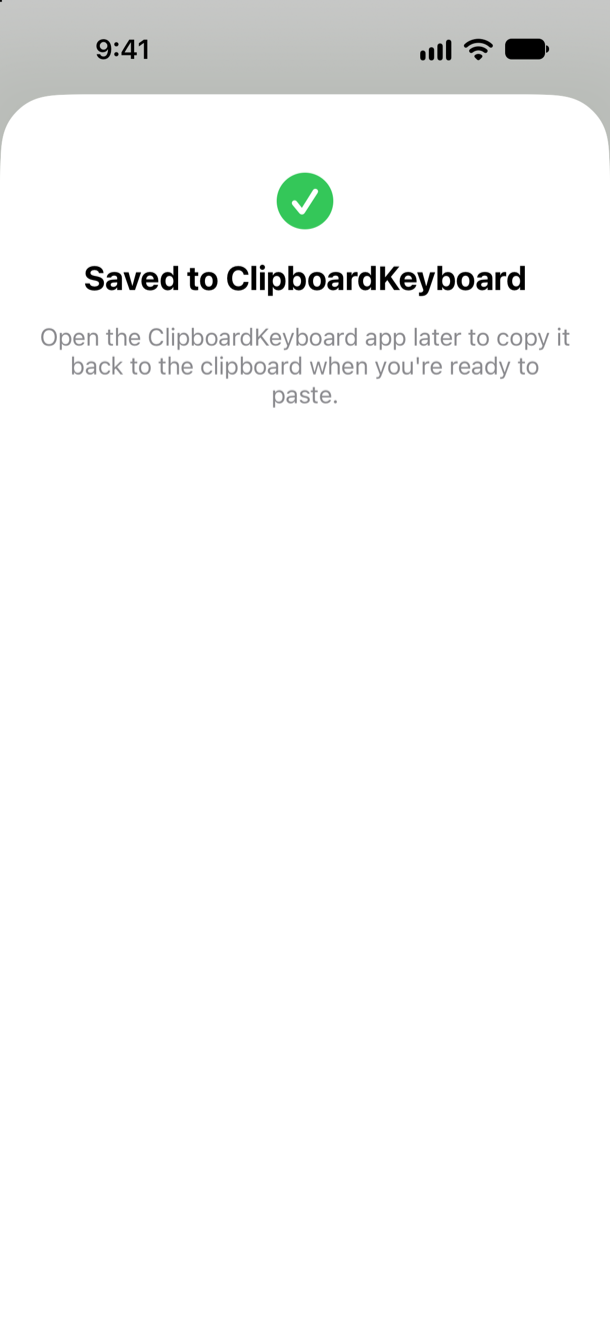 03
03Saved
The clip is saved and ready to paste.
How to paste into any text field
Use your saved clips in any app, without switching back and forth.
-
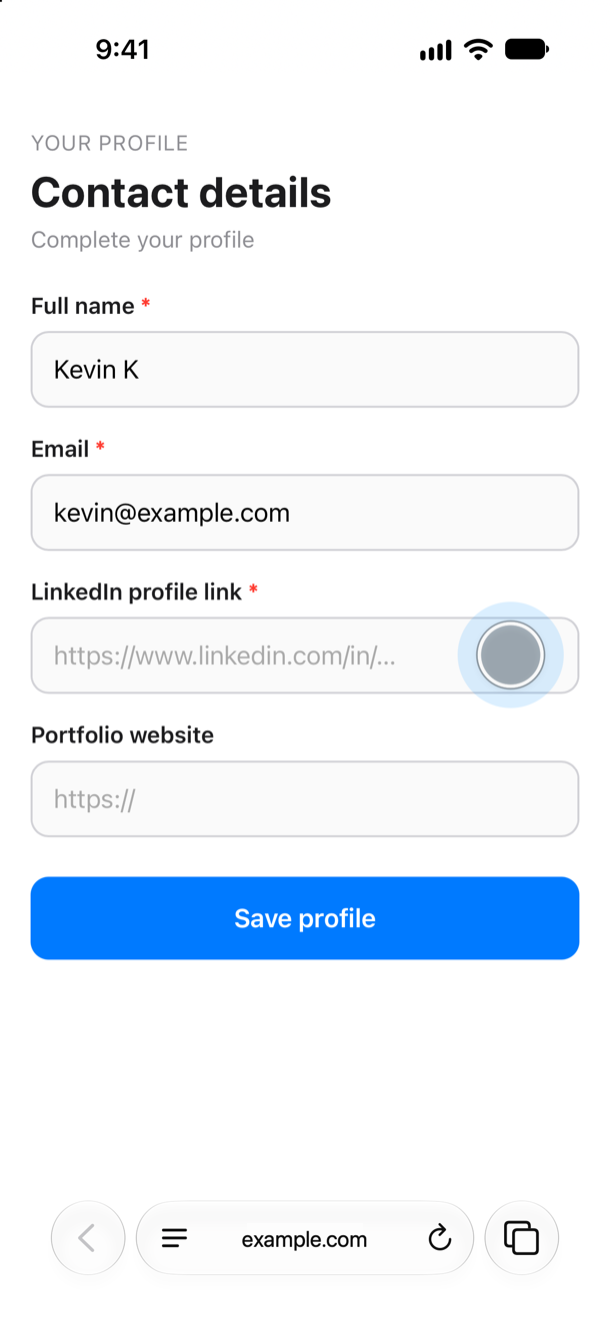 01
01Start typing
Tap any input field to bring up the keyboard.
-
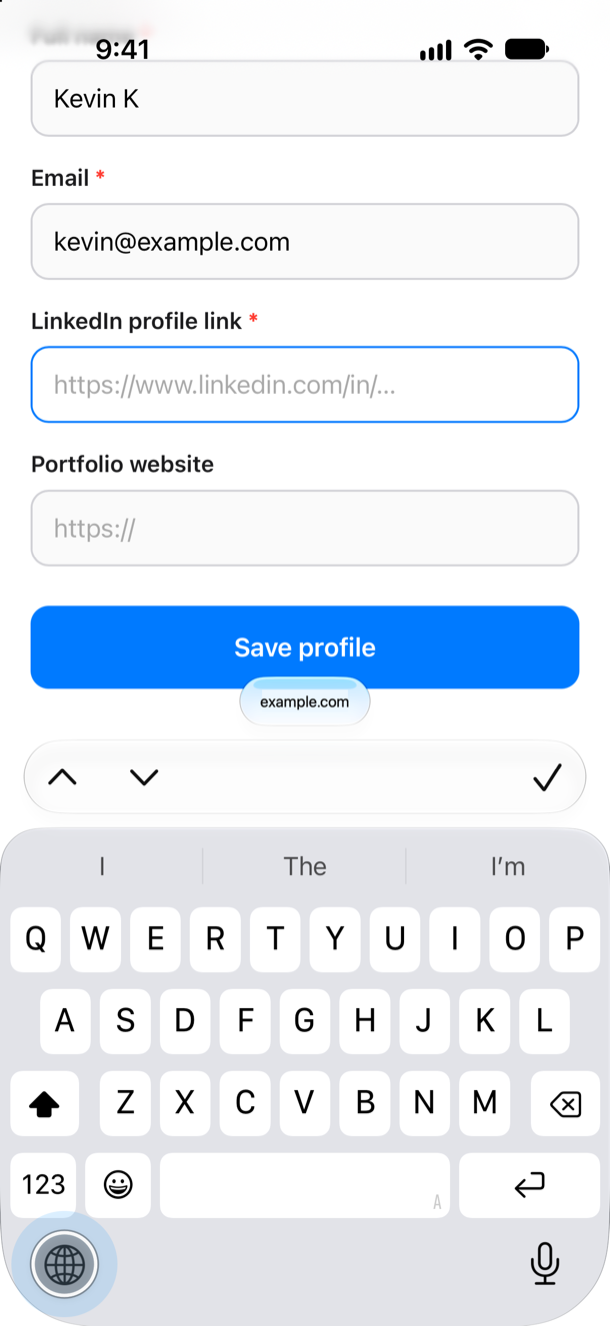 02
02Switch keyboards
Tap the globe key to switch to ClipboardKeyboard.
-
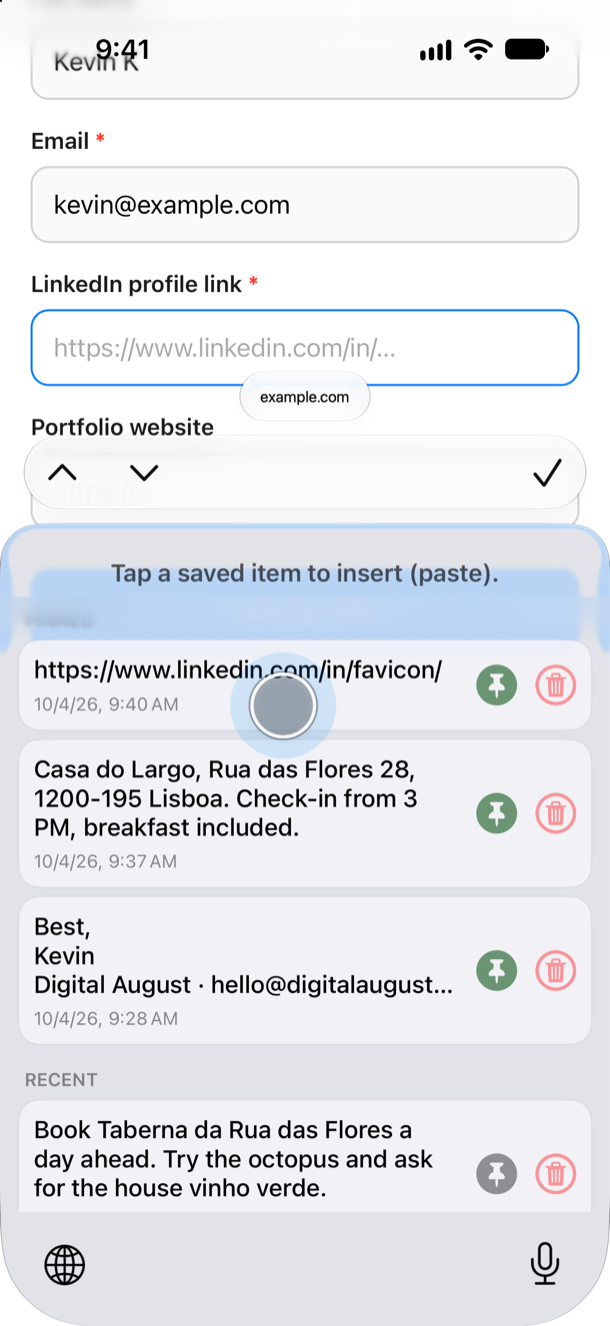 03
03Tap to paste
Tap a saved clip to insert it. Pin favorites to keep them at the top.
Frequently Asked Questions
What is ClipboardKeyboard?
Save text from any app and paste instantly with ClipboardKeyboard. Paste faster from your keyboard—no app switching. Pin clips, search your history, and keep everything private on your device.
How do I install the keyboard?
Follow the six steps in Install above: add ClipboardKeyboard in Settings › General › Keyboard, allow full access, then switch to it with the globe key.
How do I save text?
Save text from Safari and other apps via the Share Sheet. You can also manually import your current clipboard into the app whenever needed.
How many clips can I store?
Store up to 100 clips, up to 1,000 characters each (about 10–12 sentences). Pin frequently used clips for quick access and easily search your clipboard history. Longer text is trimmed to fit.
Why does the keyboard ask for “Allow Full Access”?
The custom keyboard asks for “Allow Full Access” only so it can read the clipboard history shared with the main app. The keyboard does not record what you type and never sends your text or clips anywhere.
Does my data leave my device?
No. All clips are stored securely on‑device. ClipboardKeyboard does not include any analytics, telemetry, or third‑party tracking frameworks.
Can I stop the app from reading my clipboard automatically?
Yes. You can turn Auto-Import off at any time in the app's SYNC screen; the clipboard is then read only when you tap Import Current Clipboard.
Is there a free trial?
Try every feature free for 2 months. ClipboardKeyboard offers an optional Pro subscription, and all purchases are processed by Apple through the App Store.
How do I cancel my subscription?
You can manage or cancel your subscription anytime: open Settings, tap your name at the top, then tap Subscriptions.
How do I clear old clips?
One‑tap deletion of all unpinned clips helps you keep your clipboard tidy.
Is ClipboardKeyboard lightweight?
Yes. The app is about 5 MB and the keyboard itself is under 1 MB. It's built only with Apple's frameworks, with no third-party SDKs, no trackers and no network calls, so nothing runs in the background and there are no servers to wait on. Your clips appear the moment you switch keyboards.
ClipboardKeyboard Pro
- Your clips never leave your device
- No telemetry, tracking, or analytics
- Clips are never uploaded to a server or the cloud
- You don't need to subscribe and you won't be charged.
- After that, the app goes back to the free version unless you subscribe.
- Save up to 100 clips
- Pin your favorites to the top
- Every clip available in the keyboard
Subscription terms
- Payment is charged to your Apple ID when you confirm the purchase.
- The subscription renews automatically each month unless you cancel at least 24 hours before the current period ends.
- You can manage or cancel it anytime: open Settings, tap your name at the top, then tap Subscriptions.
- If your subscription lapses, your saved clips stay on your device. They're hidden beyond the free limit and come back if you resubscribe.
- To restore a purchase on a new device, tap Restore Purchases in the app.
Still have a question? Reach out to us at support@digitalaugust.com.